Content Browser Hot Keys

The Hot Key Function allows you to set up shortcuts to your most common content. Simply click the command, and then type the hotkey that you have assigned to your content.
You can make this even quicker by using Revit's Keyboard shortcut to assign a key to the hot key command itself.
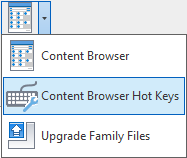
Example: If you assign a Revit Shortcut to the hotkey command as X and then a hotkey to your family as Y, to call the element filter you would simply type XY.
