Place Seismic Support

Window Overview
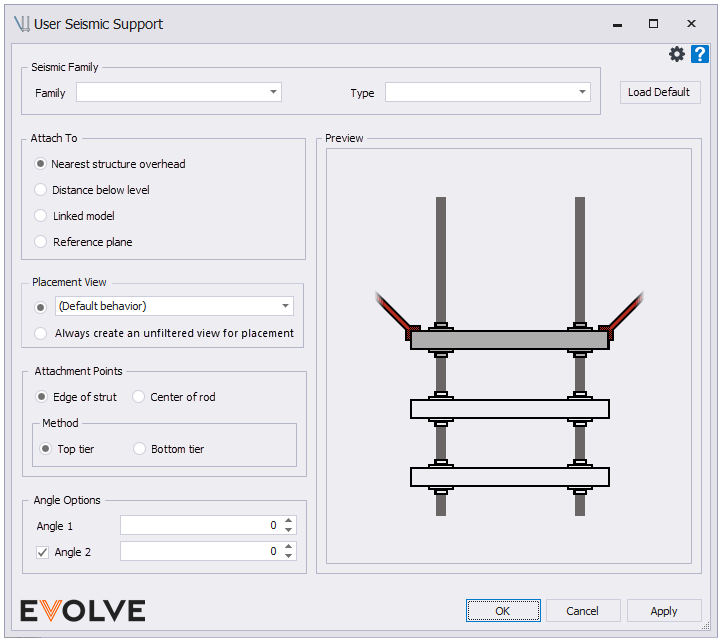
Seismic Family panel
- Family Menu - displays a list of the available seismic families in the model.
- Custom Family Requirements (Pick One)
- The parameter "eVolve_Feature" must exist and must contain "Seismic Support"
- The parameter "eVolve_CategoryId" must exist and must equal "Seismic Support".
- Custom Family Requirements (Pick One)
- Type menu - displays a list of the available types for the selected seismic family.
- Load Defaults button - used to load the default seismic family.
Attach To panel
- Nearest Structure Overhead radio button - when checked, the seismic support attaches to the closest structural element directly above the seismic support.
- Distance Below Level radio button dialog box - used to specify an attachment offset.
- Linked Model radio button menu - displays a list of the loaded linked models.
- Reference Plane radio button menu - displays a list of the model's reference planes.
Placement View panel
- Standard option to select a placement view or create unfiltered view (same as hanger placement).
Attachment Points panel
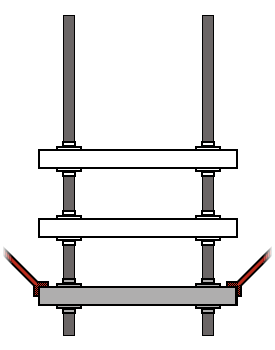
- Edge of Strut
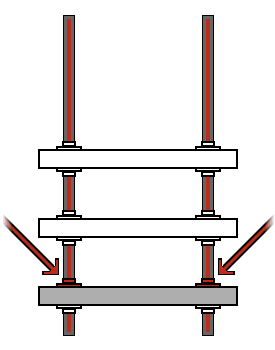
- Center of Rod
- Method:
- Top Tier - when selected, the seismic family is attached to the uppermost tier
- Bottom Tier - when selected, the seismic family is attached to the lowermost tier
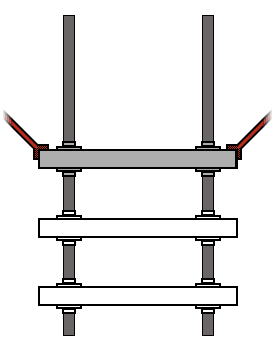
- Edge of Strut Top tier:
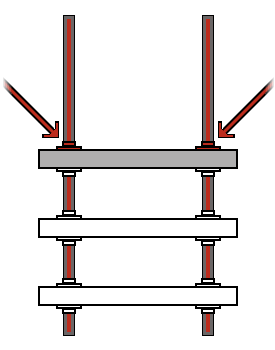
- Center of Rod Top tier:
- Edge of strut Bottom tier:
- Center of Rod Bottom tier:
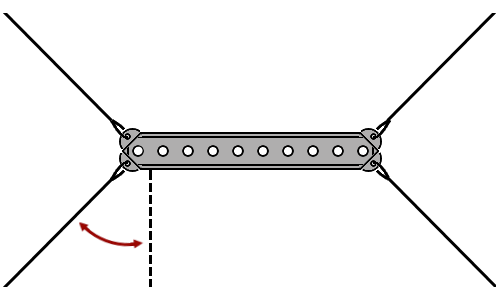
Angle Options panel
- Angel 1
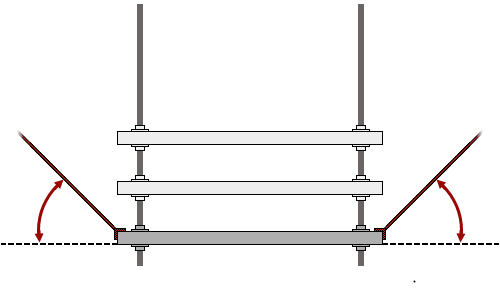
- Enable Angle 2